Projects

Selected work, how it was designed, and the problems it solves

Deep learning brain segmentation

Machine Learning and Artificial Intelligence

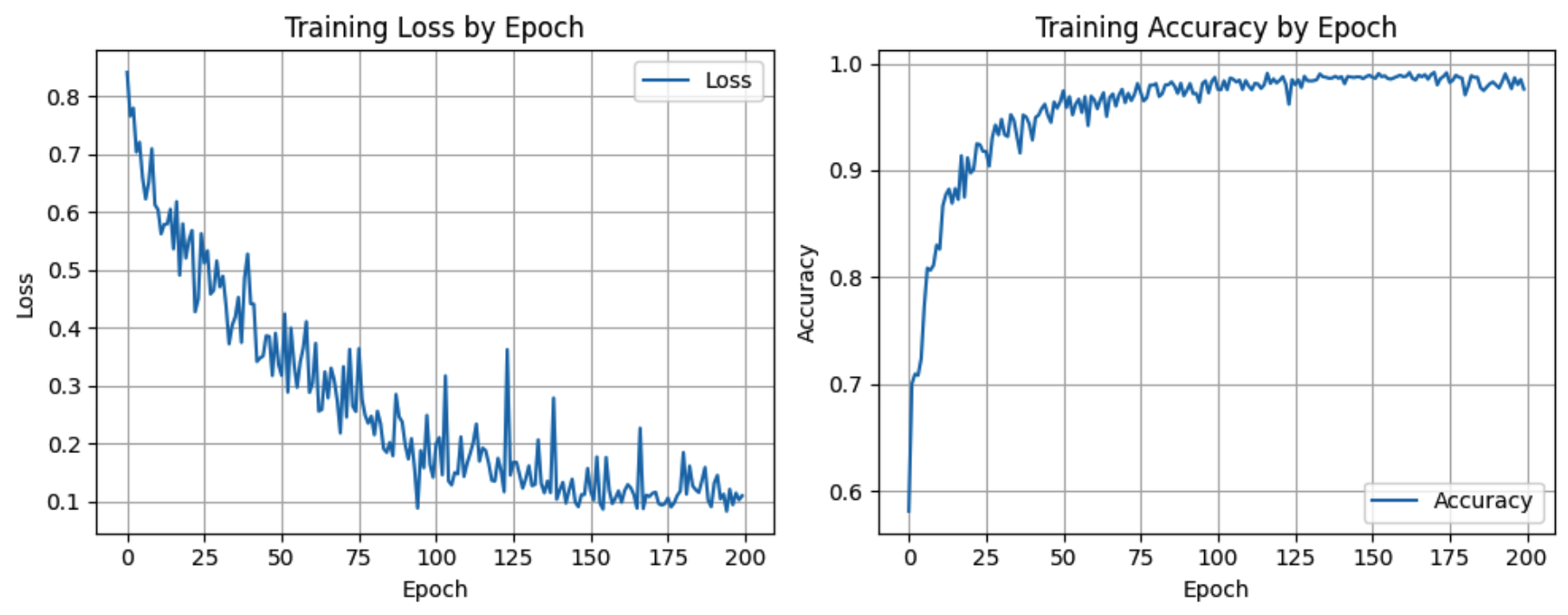
Overview: This project focuses on automatically identifying and outlining brain structures in zebrafish imaging data using deep learning. Instead of a researcher manually tracing each region by hand, the model learns patterns in the images and produces consistent segmentation masks. The goal is to make early stage analysis faster, reduce human error, and give laboratories a practical tool they can plug into existing workflows without needing a full Machine Learning team.

Tools used: Python, PyTorch, NumPy, and OpenCV.

Approach: I began by organizing the raw image and mask files into a clean dataset, then applied standard preprocessing steps such as intensity normalization, resizing, and simple data augmentation so the model would see enough variation during training. I implemented a U Net style architecture in PyTorch, because it is widely used for medical and biological segmentation tasks and balances accuracy with training time. During training, I monitored both loss curves and intersection over union scores on a held out validation set, adjusting learning rate schedules, batch sizes, and augmentation strength when the model started to overfit. After training, I ran a set of qualitative checks by overlaying predicted masks on the original images so I could visually confirm that boundaries were smooth, stable, and aligned with the ground truth labels.

Impact: The final pipeline turns a folder of zebrafish brain images into ready to use segmentation masks with a single script, which significantly reduces the time a researcher spends on manual annotation. Because the data loading, preprocessing, model training, and evaluation steps are all scripted, results can be reproduced on new machines or extended with different model variants. This makes it easier for teams to compare experiments fairly and to share their process with collaborators who may not have deep experience in Machine Learning and Artificial Intelligence.

SUN Lab access system

Desktop application for lab entry

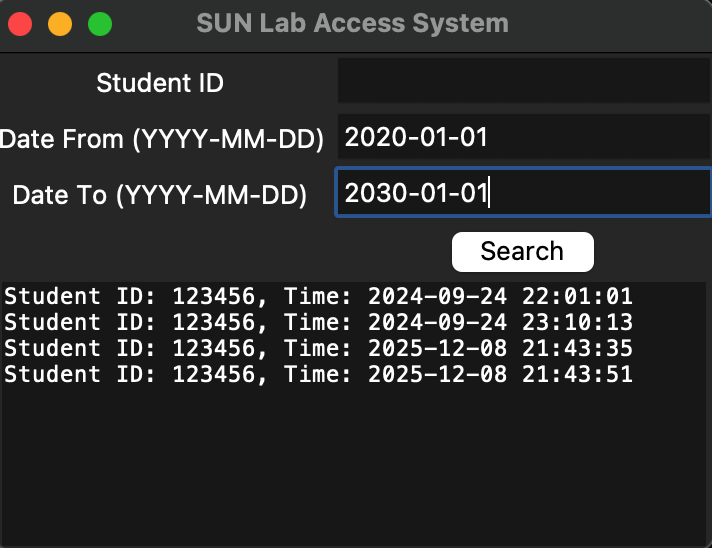
Overview: The SUN Lab access system is a desktop application that tracks which students are using a computer lab and when. Before this project, usage was recorded loosely with paper sign in sheets, which made it hard to answer basic questions such as how busy the lab is during certain hours, or whether specific resources are being used enough. The application replaces that process with a simple interface that students interact with when they arrive and leave, and a structured view for administrators who need a clear picture of lab usage.

Tools used: Python, SQLite, and Tkinter.

Approach: I designed a small SQLite schema that stores students, sessions, and basic metadata such as timestamps and machine identifiers. On top of that database, I built two main views in Tkinter: a streamlined student check in screen that focuses on quick entry, and an administrator dashboard that surfaces history, filters, and simple statistics. The student view guides users through just a few required fields and validates input so that records stay clean. The admin view allows staff to filter by date ranges, export CSV reports, and quickly scan for repeated visitors or peak usage times without writing queries by hand. Throughout the implementation, I separated data access logic from interface code, which makes it easier to adjust the layout or extend reporting later without rewriting core functionality.

Impact: With the system in place, the lab moves from scattered paper records to a single source of truth that can answer practical questions in seconds. Staff can see how busy the space is over the course of a semester, justify resource decisions with actual data, and quickly look up whether a student regularly uses the lab. Because the application runs locally and uses a lightweight database, it is easy to deploy on standard lab machines and does not depend on complex external services.

Maintenance request web app

Full stack web application

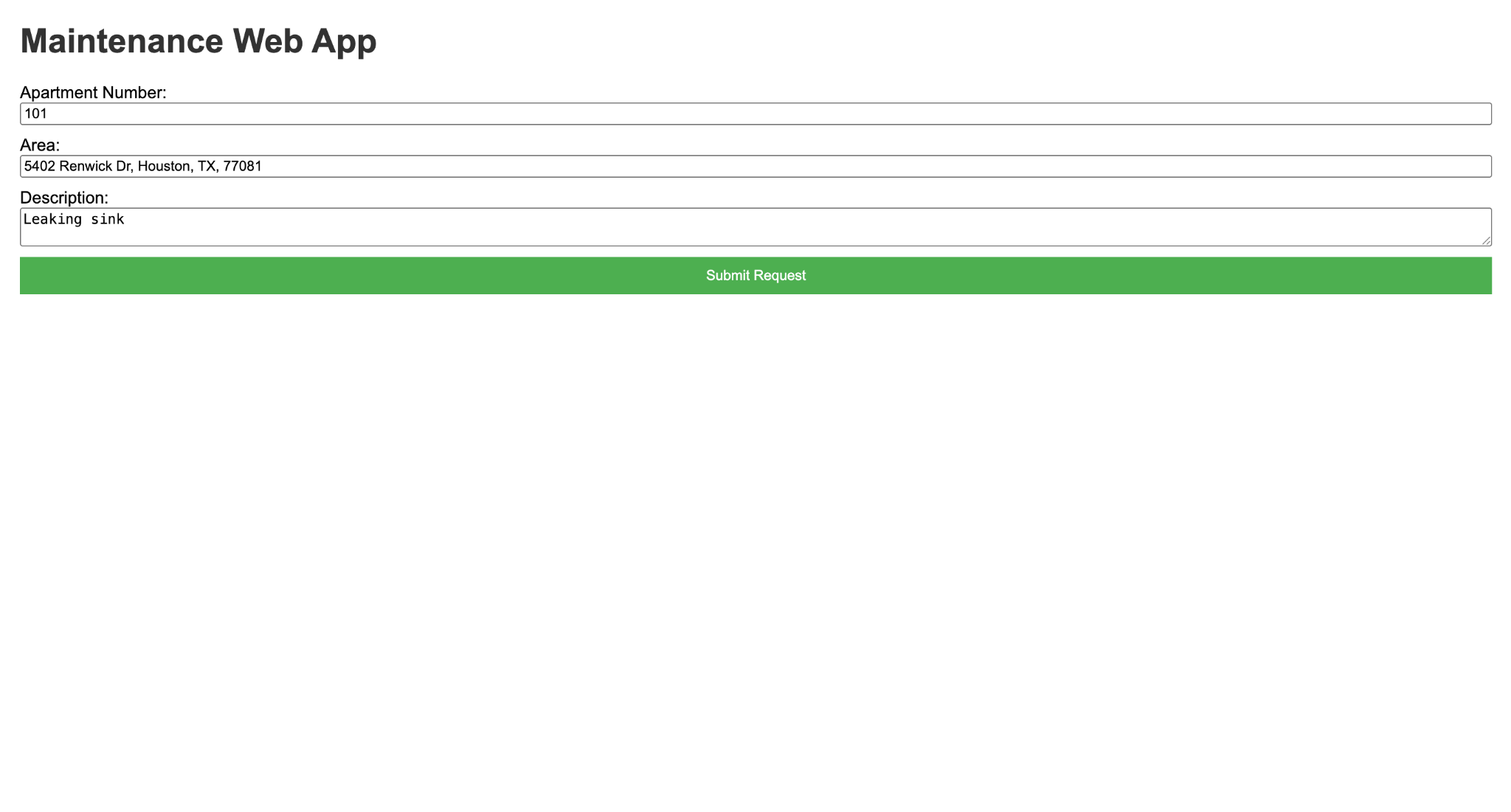
Overview: The maintenance request web app gives tenants a structured way to report issues and allows property managers to track each request from the moment it is submitted until it is resolved. Instead of relying on scattered emails and text messages, every request becomes a ticket with a clear status, description, and history. This makes communication more transparent and helps both sides understand what has been done and what still needs attention.

Tools used: HTML, CSS, PHP, and MySQL.

Approach: I started by designing the data model in MySQL, defining tables for users, properties, and maintenance tickets, along with relationships that link tenants to their units and units to requests. On the front end, I built forms in HTML and CSS that guide tenants through describing the problem, attaching key details such as location and urgency, and submitting the ticket in a single step. The PHP backend validates input, writes clean records to the database, and enforces simple role based access so that tenants only see their own requests while managers can see everything. For managers, I created a dashboard view that groups tickets by status, supports filtering by property or date, and shows a timeline of updates for each request. This structure keeps the interface approachable for non technical users while still following solid web application patterns.

Impact: The application reduces the chance that maintenance requests get lost or delayed, because every ticket lives in one place and has an explicit status. Tenants have more visibility into what is happening with their requests, which builds trust, and managers have a straightforward way to prioritize work, assign tasks, and review historical trends. Over time, the data can also be used to spot recurring issues in specific units or buildings, helping owners plan preventative maintenance instead of reacting only when things break.